Montessori Numbers for Kids
Pierre Abel
★ 3.9$3.99Education4+
ReleasedAug 15, 2012
Last updateDec 6, 2018
Version3.1.1
Ratings20
Ratings, 7 dayscollecting
Size107 MB
Languages1
Ratings over time
Tracking started recently; the line appears after a few days of data.
Description
• "This is a must-have app, for any early learning setting" - Editor's Choice - 4.8 stars out of 5 -Children's Technology Review
• "A fantastic app for helping the young students understand the relationship between numbers and the quantity they stand for” - NBCNews.com
• Featured by Apple as "Best for Ages 5 and under" & as 'New and Noteworthy' (Education)
• 26,000 units sold to US schools !
_____
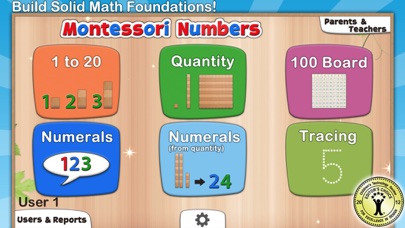
Montessori Numbers is designed to help build sound mathematical foundations in children aged 3-7 by using a concrete, visually significant material inspired from the Montessori methodology.
Montessori Numbers offers a sequence of guided activities that gradually help children reinforce their skills. Each activity offers several levels of increasing complexity.
• Learn to count up to 999
• Experiment with quantities and learn their names
• Learn the numerals and their names
• Understand the relationship between numbers and quantities
• Understand the decimal system and place value
• Master the numerical order
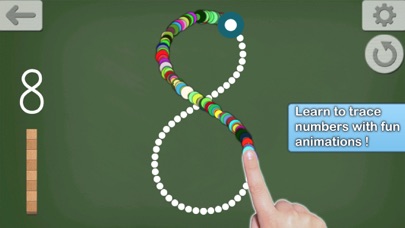
• Learn to trace numbers
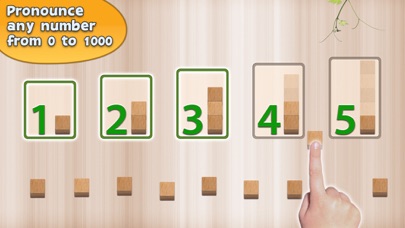
Montessori Numbers builds on the iPad’s touch feature, and uses verbal feedback for more efficient learning. The app can pronounce any number between 0 and 1009 (American, British and Australian voices available).
___________
Common Core State Standard
___________
This app will help your child in learning the following Common Core State Standards domains:
• Counting and Cardinality (K.CC)
• Operations and Algebraic Thinking (K.OA, 1.OA.1/2/5)
• Number & Operations in Base Ten (K.BNT,1.NBT.1/2/4/5/6, 2.NBT.1/2/3/5/8/9, 3.NBT.1/2). The app is great to deal with place value.
___________
Activities
___________
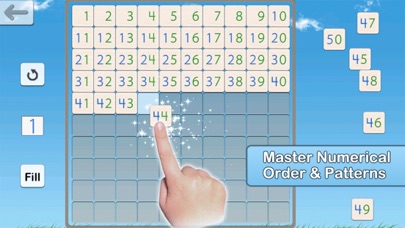
• Hundred Board
A great activity to help your child master the numerical order of 1-1000, and to introduce numerical patterns. The hundred board displays 100 numbers in a square. The first number (1,101,201,...) can be chosen so it can customized for each child
• 1 to 20
This activity is designed to introduce numbers.
3 levels of difficulty: 0 to 5, 0 to 10 and 11 to 20.
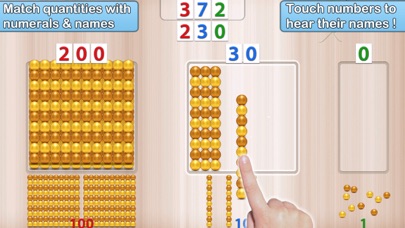
• Quantity
In this activity, kids associate quantities to numbers by manipulating units, bars of 10, and squares of 100 to match a given number which is pronounced and optionally displayed.
Levels of difficulty: 0 to 9, 10 to 99, 100 to 999 or custom
• Numerals
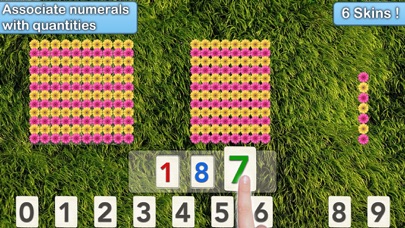
In this activity, number names are to be associated with numerals. As a number name is pronounced, kids are invited to build the corresponding numeral. Kids can freely experiment with numerals and hear the names associated with each numeral they build. The quantity representing the numbers built is also displayed to reinforce the association between quantity and numerals.
Levels of difficulty: 0 to 9, 10 to 99, 100 to 999 or custom
• Numerals (from Quantity)
In this activity, a quantity is to be associated with a given numeral. The child must build the number that matches the quantity displayed. This is the most complex activity because the child must count the quantity displ