Word Wizard: Learn to Read
Pierre Abel
★ 4.2FreeEducationWord4+
ReleasedSep 24, 2019
Last updateOct 9, 2026
Version1.8
Ratings105
Ratings, 7 dayscollecting
Size113 MB
Languages1
Ratings over time
Tracking started recently; the line appears after a few days of data.
Description
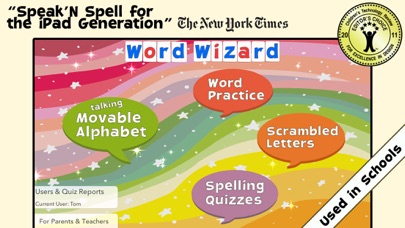
• "Speak ‘N Spell for the iPad Generation" - The New York Times •
Word Wizard is an award-winning app used in schools which offers several unique reading and spelling activities for children ages four to 10.
-- Learn to Read by Building Words --
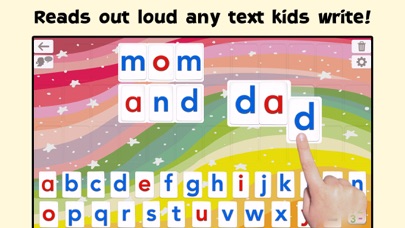
• The Talking Movable Alphabet activity allows kids to experiment with word building and phonics thanks to the advanced text to speech engine (first step in learning to read)
• Any text can be written and spoken
• 2 child voices + 4 adult voices (US, UK & Australian voices)
• Uppercase & lowercase letters, numbers, digraphs, ABC or QWERTY keyboard
• Many, many settings to adapt the activities to the child’s needs (letter size, assign images to words, high contrast modes for kids with visual impairment,...)
-- Learn to Spell using the Talking Movable Alphabet and your word lists --
• 3 spelling activities that increase in difficulty
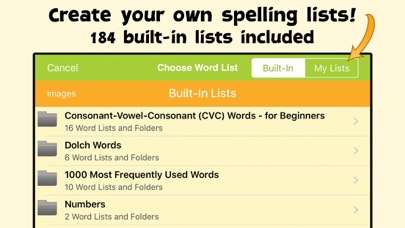
• 200 built-in word lists (about 2000 words)
• Add your own words to create unique spelling quizzes!
• Add your own images to illustrate your word lists
• Keep tabs on your children’s progress with detailed reports
______
• Used in Schools (140K units sold to schools)
• "This is an important breakthrough in reading instruction" - The New York Times
• "This is a fantastic app for young children, right through to children in later elementary school " - Wired's GeekDad
• Editor's Choice Award for Excellence in Design - Children's Technology Review
• Winner of a Parents’ Choice Award
• More than 290K units sold!
_______
Talking Movable Alphabet Activity
_______
• Pronounce and spell-check any word, number or sentence
• Natural Sounding Voice - 2 child and 2 adult American voices + 1 British voice + 1 Australian voice
• Letter sound (phonic) or name when a letter is touched in the alphabet
• 4 keyboards available: letters (ABC or QWERTY, uppercase or lowercase), numbers, consonant digraphs (like “th”) and vowels digraphs (like “oo”)
• Keyboard emulation option
• 4 letter sizes available (allowing for more or fewer letters on the board)
• Customized word pronunciation, if necessary
• 4 high contrast modes for kids with vision impairments
_______
Fun Spelling Activities
_______
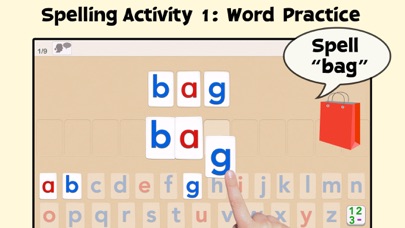
3 spelling activities of increasing difficulty are provided to adapt the activity to the child’s spelling level. You can use the built-in word lists or create your own.
1 - "Word Practice" says and displays the word to spell, and asks the child to spell it
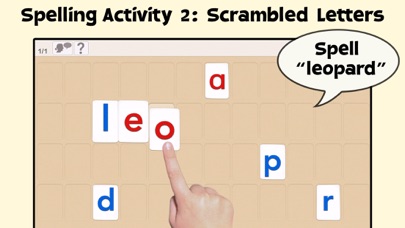
2 - "Scrambled Letters" says the word and displays the letters needed to build the word or sentence, and asks the child to reorder the letters.
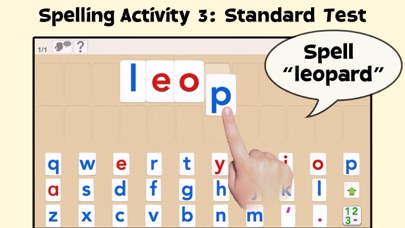
3 - “Spelling Quizzes” is a standard spelling test, but the app won’t move onto the next word until the child has correctly spelled the word, helping them to remember its correct spelling.
• 200 built-in word lists: Words for beginners (CVC, CCVC, CVCC), Dolch Words, 1,000 most frequently used words, body parts and more
• Create custom word lists by entering your own words and sentences
• Imp