ReleasedJul 6, 2014
Last updateAug 20, 2026
Version5.0.1
Ratings63
Ratings, 7 dayscollecting
Size16 MB
Languages2
Ratings over time
Tracking started recently; the line appears after a few days of data.
Description
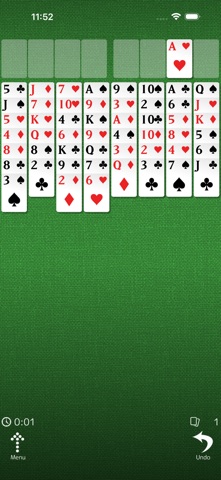
A simple and smooth FreeCell Solitaire game optimized for smartphones!
Enjoy a classic card game whenever you have a few minutes to spare. FreeCell is perfect for a quick break, a commute, or a little brain training.
Designed for easy touchscreen play, cards can be moved with a simple tap and their destination will be selected automatically. Made a mistake? Just use the Undo feature and try again. Score tracking is also supported.
How to Play:
FreeCell is a classic solitaire card game where the goal is to move all cards to the four Foundation piles in the upper-right corner, building each suit from Ace to King.
On the tableau, cards can be stacked in descending order while alternating between red and black. The four Free Cells in the upper-left corner can temporarily hold any single card, giving you extra space to rearrange the tableau.
Cards are normally moved one at a time, but by making good use of empty Free Cells and other available spaces, you can move sequences of cards more efficiently.
Tips:
* Try to keep your Free Cells open whenever possible. More free space gives you more options.
* Move Aces and other low cards to the Foundations when it is safe to do so.
* Use Undo to experiment with different moves and find your way to victory.