ReleasedJun 21, 2026
Last updateSep 13, 2026
Version1.0.6
Ratings2
Ratings, 7 dayscollecting
Size6 MB
Languages1
Ratings over time
Tracking started recently; the line appears after a few days of data.
Description
Classic BASIC is a retro-inspired BASIC programming environment designed for modern devices.
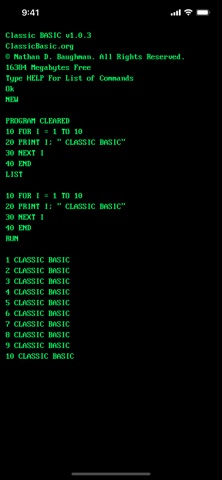
Write line-numbered BASIC programs, run them instantly, save your work, load built-in examples, explore graphics commands, and learn programming with the included guidebook. Classic BASIC preserves the familiar feel of classic home computers while providing a clean, touch-friendly experience for today's users.
Features include:
• Traditional line-numbered BASIC programming
• Built-in program catalog
• Classic commands such as LIST, RUN, SAVE, LOAD, NEW, and CATALOG
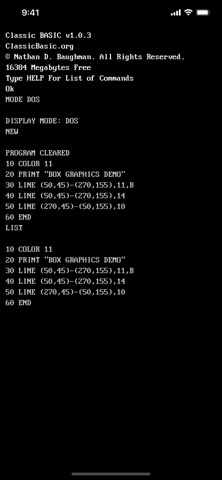
• Graphics commands for drawing lines, circles, boxes, and screen output
• Built-in games including Block Drop and Astro Blaster
• Touch game keyboard support for interactive games
• External keyboard support with ESC and CTRL+C break commands
• Display modes including Green, Amber, and DOS-style color
• Built-in programming guide
• File support for saving and loading your own programs
Classic BASIC is designed for beginners, hobbyists, retro-computing enthusiasts, students, and anyone who wants a simple programming environment that feels immediate, approachable, and fun.
Type a line. Run it. Change it. Learn by doing.
More from Nathan Baughman