STEINS;GATE 比翼恋理のだーりん
MAGES. Inc.
★ 3.9$14.99Role PlayingEntertainmentAdventure12+
ReleasedOct 3, 2013
Last updateFeb 5, 2024
Version2.0.1
Ratings7
Ratings, 7 dayscollecting
Size1897 MB
Languages1
Ratings over time
Tracking started recently; the line appears after a few days of data.
Description
Since 2009, the STEINS; GATE series has sold over 1,000,000 copies!
Hypothetical Science ADV “STEINS; GATE” is a spin-off game and Hypothetical *Second-grade Syndrome x ADV “STEINS; GATE Hiyoku Renri no Darling” has finally been released for iOS!
※This game is only available in Japanese.
※This game has no plans to support a Korean version.
■ Sales copy
This story may be real?
This is the story of the Future Gadget Laboratory members.
■Product summary
Want to play more Hypothetical Science ADV STEINS; GATE games?
Why not try STEINS; GATE’s new slapstick comedy Hypothetical Second-grade Syndrome, which has finally been released!
The concept has changed compared to the previous dramatic story, as the game depicts the daily romantic lives of lab members, often with comedic effect!
The game is not only a slapstick comedy, but also includes many sweet and romantic scenes!
This spin-off game gives users the same thrilling experience and those who played the previous game will be able to take on the new challenge!
■ Features
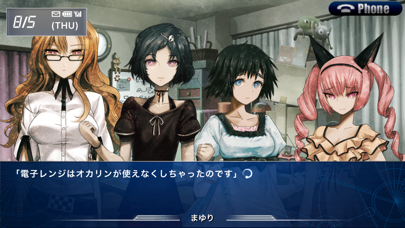
* A romantic and comedic adventure game with the characters from STEINS;GATE!
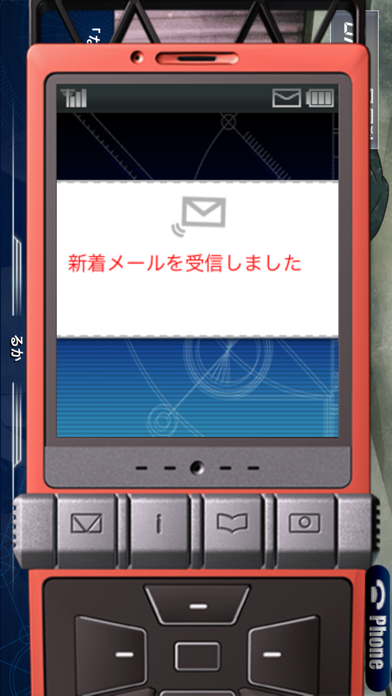
*Phone trigger system optimized for iOS! The story changes depending on your preferences!
*Appear as six characters (including one male character) with individual endings for each!
*Full voice acting!
*The game has more than 20 hours total playing time!
* You can enjoy this game on either iPhone or iPad as a Universal app!
(The game is not optimized for iPhone5)
*Saved data is stored on iCloud! Play with different devices and share the saved data!
*Supports Game Center!
*Supports Push Notifications!
■How to play
Easy intuitive touch screen!
・Basic controls
Phone Screen: Invoke phone trigger/Close
Using your two fingers (or pinch in): Menu display /Non display
Swipe inward from the edge of the screen: Menu display
Swipe horizontally to the edge of the screen from inside:Menu Non display
Tap: Send text and OK
Swipe Down: Log screen display
Swipe Up: Hides message area display
Swipe Right: Skip read messages
Swipe Left: Skip Forced message
Tap & Hold (using one finger, press and hold): Auto mode
If a black frame is displayed around the screen, swipe inward from near the edge where the background is displayed to display the system menu.
・Controls for iPhone
Hold mobile in portrait: Invoke phone trigger
Hold mobile in landscape: Close phone trigger
・Controls for iPad
Swipe up on the right edge screen: Invoke phone trigger
Swipe down the left side of phone trigger: Close phone trigger.
・Saved Data/ Backup to iCloud
Choose BACKUP from the SYSTEM on the title screen, and then you can backup the saved data to iCloud.
(Setup iCloud: You need to turn on Documents & Data.)
・Restore Saved data from iCloud
Choose RESTORE from the SYSTEM on the title screen, and then you can restore the saved data from iCloud
(The saved data on the device can be overwritten when you restore.)
■Story
Rintato Okabe, commonly known as Okarin is a University st
More from MAGES. Inc.
★ 4.6
438 ratings2900.00 JPYRole Playing
Released Aug 25, 2011

STEINS;GATE KR (한국어)
MAGES. Inc.
★ 4.2
82 ratings29000.00 KRWAdventure
Released Dec 6, 2012

Memories Off 6 ~T-wave~(簡体版)
MAGES. Inc.
★ 4.6
31 ratings$6.99Adventure
Released May 2, 2011

Corpse Party BLOOD DRIVE EN
MAGES. Inc.
★ 4.5
27 ratings$11.99Role Playing
Released Jan 31, 2017

Memories Off 6 ~T-wave~
MAGES. Inc.
★ 5.0
6 ratings$6.99Role Playing
Released Nov 4, 2010

Memories Off 6 Next Relation
MAGES. Inc.
★ 4.3
4 ratings$9.99Adventure
Released Aug 28, 2013
★ 3.5
4 ratings$17.99Role Playing
Released Jan 31, 2017

CHAOS;HEAD NOAH
MAGES. Inc.
★ 4.3
3 ratings$14.99Adventure
Released Nov 18, 2010

Memories Off -Yubikirinokioku-
MAGES. Inc.
★ 5.0
3 ratings$9.99Adventure
Released Feb 23, 2012

STEINS;GATE Phenogram
MAGES. Inc.
★ 5.0
2 ratings$11.99Role Playing
Released Sep 25, 2014

この世の果てで恋を唄う少女YU-NO 2048
MAGES. Inc.
★ 5.0
2 ratingsFreePuzzle
Released Mar 17, 2017

STEINS;GATE ELITE
MAGES. Inc.
★ 4.0
2 ratings$22.99Adventure
Released Oct 16, 2019