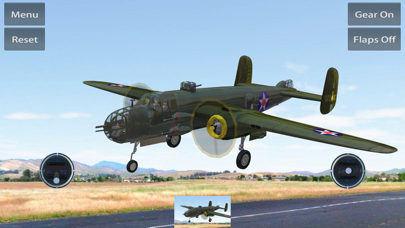
Absolute RC Plane Simulator
Happy Bytes LLC
★ 4.5$2.99SimulationSportsLifestyle4+
ReleasedMay 31, 2012
Last updateSep 9, 2026
Version3.66
Ratings123
Ratings, 7 dayscollecting
Size174 MB
Languages1
Ratings over time
Tracking started recently; the line appears after a few days of data.
Chart positions · best in the last 30 days
- #36 Top paid · Sports · BR (last Nov 25)
- #65 Top paid · Sports · FR (last Nov 25)
- #73 Top paid · Sports · DE (last Nov 25)
- #80 Top paid · Sports · TR (last Nov 25)
- #89 Top paid · Sports · GB (last Nov 25)
- #93 Top paid · Sports · KR (last Nov 25)
- #97 Top paid · Sports · JP (last Nov 25)
Description
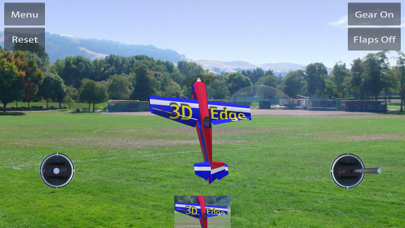
This Professional RC Simulator is a must have for anyone flying RC. The models fly like real RC planes, and can be used to learn to fly and to improve your flying. A lot of fun for not much money! Any plane crash cost many times more, and you will be able to fly in the sim no matter what is the weather outside!
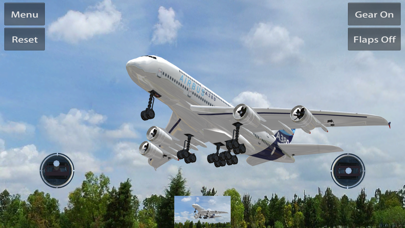
Get 12 models and 3 landscapes with this value pack edition of our Absolute RC Plane Sim, for big savings compared to buying them one by one. In addition to the included content, you can still buy extra models if needed. As free bonus, we added free helicopters, RC boats and RC cars.
The following models are included:
Planes:
Advantage (Trainer)
Aquila Low Wing Sport Model
AT-6 Harvard (Low Wing Intermediate)
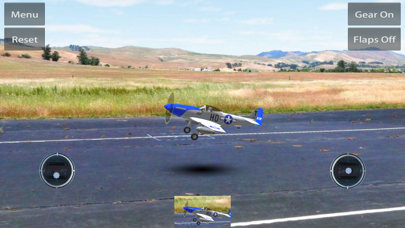
P-51 Mustang (War bird scale - Intermediate-Advanced)
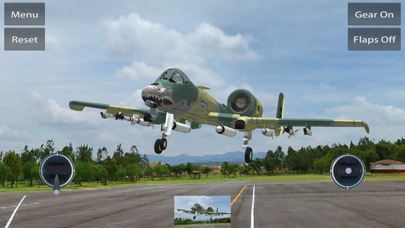
A-10 Warthog (Electric fan scale - Advanced)
Helicopter and Drones:
Model CX Coaxial Helicopter
Bell 47 Scale Model
Racing Drone Quadcopter
Boats and Cars
Rebel Boat
Easy Cat Catamaran
Rage 2WD Car
Lego Car
Included free landscapes in this version: :
Osage Park
Tangamanga
Island Fliers
Please try our full featured professional RC flight simulator ClearView for PC here: http://rcflightsim.com - see the video of ClearView bellow.
Notes:
1. This is not a game. You are controlling flying RC models that reacts like real flying models. It takes some time to learn, and again, do not expect "arcade" style controls.
2. The onscreen control sticks are just indicators! They are made small so they do not obscure the screen.
*** You do not need to keep your fingers on them ***
Sliding your finger anywhere on the right screen half affects the right control stick , the same for the left screen part - sliding finger there moves the left control stick.
We suggest selecting beginner settings at first few days before you can comfortably progress further.
3. iPad 1 users should not purchase extra landscapes, due to lack of memory. Getting extra planes is OK.
More from Happy Bytes LLC